OpenPnP Tray Feeder and Loose Part Feeder: Placing Parts With No Tape

Four OpenPnP feeder classes cover parts that never came on a reel: tray, tube, loose part and heap. I set all four up on the staging plate of our Vertex 4 to see what each one does with a JST housing, a buck module and the odd 0402 that ends up on the floor mid-run.

Two questions sort them
The first is who moves the part forward. On tape the feeder's transport does that, and OpenPnP only decides when to trigger it. With no tape, the software walks a coordinate, or you supply the motion, or a camera looks for whatever is lying there.
The second costs more time. Every feeder has a Z value that you capture by jogging the nozzle down until it touches something, and the class decides whether that something is the top of the part or the surface it rests on. Nothing stops you from using the wrong convention for the class you picked.
Tray feeder: arithmetic, not hardware
ReferenceTrayFeeder is the workhorse for anything sitting in a fixed grid: a plastic tray of connectors, a waffle pack of QFNs, a cut length of tape stuck to the plate. It has no vision. You give it two counts and two offsets, and it computes every pocket position from those numbers.
The fields are Tray Count X, Tray Count Y, Offsets X and Offsets Y, plus a Feed Count that you normally leave alone. Each feed adds one to the counter, and the pick location is the base location plus the counter times the offsets. The counter is one-based in the UI while the arithmetic underneath is zero-based, so the first pick already reads as pocket 1.
One detail in that arithmetic rewards reading. OpenPnP fills the axis with the smaller count first, then steps the other one, and when the two counts are equal it fills along Y first. So a 1 × 30 strip walks straight down a line, while a 5 × 10 tray walks five pockets across before stepping down a row. Swap the two counts and the physical path through the tray changes with them.
That property is what makes a tray feeder work for tape as well. The first-board walkthrough uses ReferenceTrayFeeder for a cut strip of resistor tape, with the Y offset at -4 for the 4 mm pocket pitch and the Y tray count at 30. The count pair is 1 × 30, so each pick moves 4 mm along Y and the tape is consumed from one end. The tray feeder is the only class in OpenPnP that indexes tape without hardware.
Two behaviours are worth knowing before you run a job with one. A tray feeder that runs out throws FeederEmptyException, and the job processor treats an empty feeder as an expected condition rather than a fault: the log records disabled due to being empty, the feeder is switched off, and the job tries another feeder for the same part instead of stopping. If you have a second tray or a reel of the same part loaded, the job finishes on it. A feed that fails for any other reason is retried under Feed Retry Count and then disables the feeder as well.
The Feed Count field also makes Recycle useful. Sending a picked part back on a tray feeder decrements the counter, so the next feed picks from the same pocket instead of skipping a good part. That is how I test pick heights without throwing away a row of connectors.
Tube feeder: the software never advances the part
ReferenceTubeFeeder has four fields and one method that matters. Its feed() is empty, and getPickLocation() returns the location you configured, unchanged, every time. The class exists for gravity and vibratory tube feeders, where the hardware presents a part at the same spot and the software only has to remember the coordinate.
If your tube is a plain stick that you push by hand, that is the whole workflow: mount the tube so the parts queue against a stop, capture the pick location at the opening, press feed between parts. Nothing is detected, so an empty tube produces no error. The nozzle travels to the same spot, picks air, and the job carries on until a bottom vision message complains about no part on the nozzle. The vision troubleshooting notes cover that message when the tip is genuinely empty.
Tubes are the one case where I still keep a hand on the machine, and they are the cheapest way to place tall through-hole connectors that will not fit a printed pocket.
Loose part feeder: three camera passes
ReferenceLoosePartFeeder takes the opposite approach. You define an area on the plate, scatter parts into it, and OpenPnP finds them with the top camera. The feed cycle moves the camera to your configured location, processes the vision pipeline, moves the camera to the part it found, and repeats that loop three times so the final centre is measured from a closer view rather than from the edge of the frame. With several parts lying on the plate, the one nearest the camera's current position wins, which keeps travel short and makes the pick order follow the pile.
The pipeline is where the work is. The default one in the source is built for chip parts: a brightness threshold at 200 to catch the metal electrodes, a second threshold at 120 inverted for the dark body, the two images added together, a median blur with a kernel of 9 to rejoin electrodes to bodies, then contours filtered to a blob area between 500 and 1500 pixels and oriented to landscape. The comment at the top of the file names the case it removes on purpose: electrodes whose body was not detected, which are parts lying upside down.
That design tells you where it breaks. A plastic connector housing has no bright electrodes, so the first threshold comes back empty and the feed ends with Feeder <name>: No parts found. A part that is mostly the same shade as the plate needs a different pipeline: edge detection, or a template match on the outline, or a brighter plate under the parts. The area window matters too, since it is in pixels at whatever camera height and resolution you are using.
The angle the pipeline detects is written into the pick location, and the feeder's own Rotation field is added to it. Leave that field at zero unless the parts sit at a known angle in the plate.
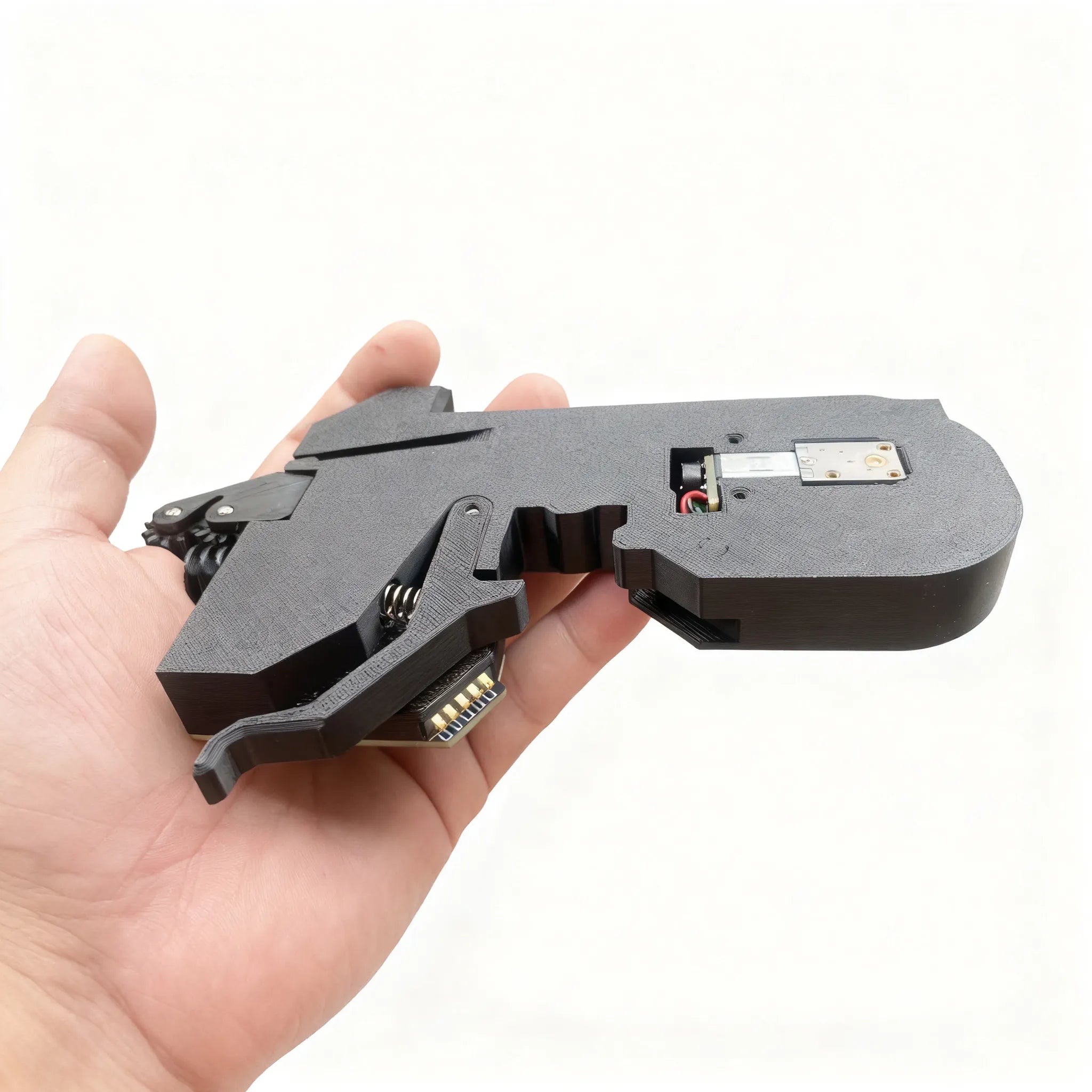
The Z convention flips between classes
This is the part I got wrong first. The loose part feeder reports that its pick location Z is below the part, and both loose part classes have the isPartHeightAbovePickLocation flag set. OpenPnP then adds the part height to the Z before moving. So the value you capture should be the surface the parts rest on, and the machine adds the part thickness on its way down.
A tray feeder does not do this. Its Z is where the nozzle stops, so you capture the top of the part, exactly as you would for tape.
Use the loose part convention on a tray and the nozzle stops at plate level and picks nothing. Use the tray convention on a loose part feeder and the nozzle drives one part thickness past the top of the part, which on a 0603 is half a millimetre and on a connector is enough to send it sliding across the plate. Because the part moves after the nozzle touches it, the error reads like a vision problem.
There is one more turn in the same mechanism. If the part height in the Parts tab is zero or unset, OpenPnP does not add zero. It substitutes the nozzle tip's Max Part Height, which defaults to 5 mm. A loose part feeder with a part height left at zero therefore asks the machine to drive 5 mm past the surface it captured, and that is the fastest way I know to scatter a tray of loose parts across the machine.
Heap feeder wants a vacuum sensor
ReferenceHeapFeeder is the fourth option and a different kind of machine. Parts live loose in a small bin, the nozzle grabs a handful, drops them into a shared drop box, and vision checks which of them landed face up. If none did, it picks one up and drops it again. The documentation puts it at about 3 cm² per part, over 200 heaps in the space of an A4 sheet, and notes that every part costs several moves and a vision pass.
Its settings carry the story of that workflow. Throw Away Drop Box Content After Failed Feeds defaults to 9, so a stubborn part eventually empties the box instead of looping, and total attempts are hard-coded at 12 before a feed failure is raised. Required Vacuum Difference defaults to 150, because parts in a heap usually sit on the tip only partly and the normal part-present check cannot be trusted. Three way-point fields route the nozzle around other bins so a dropped part does not mix with another part number.
The dependency is the interesting bit for a desktop machine. The wiki page states plainly that a vacuum sensor, blow-off and good top vision are required. Our Vertex 4 FAQ explains that the machine ships without a vacuum pressure sensor and uses bottom camera vision instead, which is why the bundled OpenPnP configuration sets vacuum sensing to None. Without adding a sensor, the heap feeder has no way to know whether it is holding a part, so on our machine the other three classes do the off-tape work.
What I would set up first
For a part that exists in a tray, a bag or a stick, the order I now use is: cut tape on the plate with a tray feeder if any tape is around, a printed grid with a tray feeder if the parts are uniform, a loose part area if they are not, and a tube when the parts are tall and there are few of them per board.
The cost is lopsided. The tray and tube feeders are pure software, and the feeder overview shows what the 50 slots on a Vertex 4 are reserved for: tape, one slot per 8 mm or 12 mm reel. Spending a slot on a connector that arrives in a bag is a poor trade when a printed tray and four offset numbers will place it.
One habit is worth more than the settings. Whenever a part comes off the plate and lands somewhere new, check the Z convention for that feeder class before you tune anything in the vision pipeline. Half of my own loose-part debugging was a nozzle pushing past the top of the part, and the pipeline was innocent.